
Building LineageOS 14.1 for Samsung Galaxy Note 8.0 (n5110)
A guide to configuring a Docker build environment, syncing repositories, and compiling a custom ROM for the n5110
March 6, 2026
Building LineageOS 14.1 for Samsung Galaxy Note 8.0 (n5110)
I have an old Samsung Galaxy Note 8.0 Wi-Fi (n5110) tablet lying around unused at home, so I decided to use it as a 'toy' for a project.
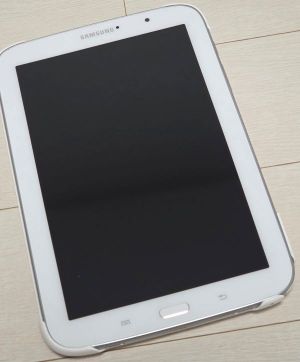
I found remnants of an official build guide for the n5110 from LineageOS, the most famous AOSP-based custom ROM project, so I decided to try building it myself by referring to that.
Reference: [LineageOS Official Build Guide (n5100)]
Prerequisites
Before starting the build, you need to install the necessary system requirements and tools.
- OS: Ubuntu 20.04 LTS or higher recommended
- RAM: Minimum 16GB (32GB recommended)
- Disk Space: At least 200GB of free space
Install Build Packages
To build Android, many dependency packages must be installed beforehand.
However, in my experience, builds often fail due to tangled dependencies depending on the version of Ubuntu, Python, or various libraries being used.
However, in my experience, builds often fail due to tangled dependencies depending on the version of Ubuntu, Python, or various libraries being used.
Therefore, it's much more convenient to create a dedicated Docker image for the build, completely isolating and controlling the build environment from the host.
I'll configure the
Dockerfile for the build in the environment setup section later in the build process.
Initialize the LineageOS Source Repository
Create a working directory and initialize the LineageOS source and n5110 device tree.
Initialize reposh
Download the Source Code
Now, download the source code using the
The source code is very large, so it may take a long time depending on your network status.
repo sync command.The source code is very large, so it may take a long time depending on your network status.
Sync source codesh
Prepare Device Specific Code
You need to prepare the kernel and vendor binaries for the n5110 device.
Extract proprietary blobssh
However, perhaps because official support for the device ended long ago, I encountered an issue where the relevant code could not be correctly retrieved from the official LineageOS repository.
breakfast failsh
After searching GitHub a bit more, I fortunately found an external repository (TheMuppets) that continuously backs up and supports vendor files for various old devices, including the n5110.
To use this external repository, you need to add a manifest file in
To use this external repository, you need to add a manifest file in
.repo/local_manifests to download the code and then manually link the paths..repo/local_manifests/vendor_samsung.xmlxml
After modifying the manifest, I performed
repo sync again, connected the necessary directories with symlinks, and retried breakfast.Setting path using symlink after code syncsh
This time, an error occurs stating that files related to
Fortunately, the
kona-common are missing.Fortunately, the
kona-common directory was also included in the synchronized proprietary_vendor_samsung source, so I should be able to continue the build after adding another symbolic link.Retry after adding symlinksh
Next, an error occurred stating that
Similarly, the
n5100-related files were missing.Similarly, the
n5100 entry exists within the backed-up proprietary_vendor_samsung folder, so I'll create a symbolic link and try breakfast again.Retry after adding symlinksh
Finally, the
Now, let's start building the bootable ROM image in earnest.
breakfast n5110 command completed successfully without any major issues.Now, let's start building the bootable ROM image in earnest.
Start the Build
As mentioned earlier, let's create a Docker image to perform the build consistently and without environment contamination.
I've configured the
Dockerfile as follows, including all essential build tools and packages listed in the official LineageOS documentation.DockerFiledocker
Now, create the image via
docker build and enter the container environment by volume-mounting the working directory where the Android source code is synchronized.Inside the container, set up the shell environment variables and then start the actual ROM build using the brunch command.
Build with dockersh
Once the entire build process completes without errors, you can verify that the
lineage-*.zip file for direct flashing and the recovery.img (recovery image) file have been successfully created in the out/target/product/n5110/ directory.Build resultsh
4. Next Steps
In this post, I've set up the environment and successfully completed the build of a LineageOS 14.1 custom ROM for the idle n5110 device.
However, I haven't yet tested if the generated image works correctly on the actual tablet.
However, I haven't yet tested if the generated image works correctly on the actual tablet.
In the next post, I'll flash the ROM file and recovery image I built using a Custom Recovery (e.g., TWRP) and check if it boots without any issues.